Tag: paper

Research update

Quite a few things happened since I last posted about my research. Here is a (not so short) summary of what happened during my blogging leave of absence

Ubicomp 2009

Our work on supporting why and why not questions to improve end-user understanding in Ubicomp environments was accepted as a poster to Ubicomp 2009

Answering Why and Why Not Questions in Ubiquitous Computing

Jo Vermeulen, Geert Vanderhulst, Kris Luyten, and Karin Coninx. Answering Why and Why Not Questions in Ubiquitous Computing. To appear in the Ubicomp ’09 Conference Supplement (Poster), Orlando, Florida, US, September 30th – October 3rd, 2009, 3 pages.

Abstract: Users often find it hard to understand and control the behavior of a Ubicomp system. This can lead to loss of user trust, which may hamper the acceptance of these systems. We are extending an existing Ubicomp framework to allow users to pose why and why not questions about its behavior. Initial experiments suggest that these questions are easy to use and could help users in understanding how Ubicomp systems work.

There is a separate page for the poster on my homepage, including a PDF version of the poster and the extended abstract.

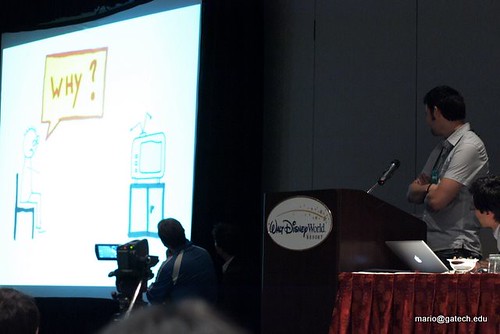
Mario Romero has an excellent Ubicomp 2009 photo set on Flickr.

Here’s a picture of me explaining the poster:

PA015545

And here I am presenting in the One Minute Madness session:

PA015479

PA015480

Karel Robert helped me create a video for the One Minute Madness session that would stand out. Although it might have been a bit too attention-grabbing, I certainly had fun making it and presenting in the Madness session.

Here is the video:

Next to presenting my poster, I also served as a Ubicomp 2009 student volunteer, which earned me a place in Joe McCarthy’s opening slides for the conference (slide 6)

Being a student volunteer was lots of fun! I got to meet a lot of interesting people, and still had the opportunity to follow most of the sessions. I also explored the parks together with a few of the other volunteers (Ubicomp 2009 was held in Disney World), and we even played beach volley on the last day

When we went to the Magic Kingdom, I had to see Randy Pausch’s plaque at the Mad Tea Party:

Randy Pausch plaque in Disney World containing a quote from the Last Lecture

The plaque contains a quote from Randy’s Last Lecture:

Randy Pausch: Be good at something; It makes you valuable... Have something to bring to the table, because that will make you more welcome.

If you haven’t watched the Last Lecture yet, I strongly recommend you do! It will be an hour well-spent.

Full paper accepted to AmI 2009

The full paper that we submitted to the third international conference on Ambient Intelligence 2009, was accepted as well. This work was a collaboration with Jonathan Slenders, one of our Master’s students.

I Bet You Look Good on the Wall: Making the Invisible Computer Visible

Jo Vermeulen, Jonathan Slenders, Kris Luyten, and Karin Coninx. To appear in the Proceedings of AmI ’09, the Third European Conference on Ambient Intelligence, Salzburg, Austria, November 18th – 21st, 2009, Springer LNCS, 10 pages.

Abstract: The design ideal of the invisible computer, prevalent in the vision of ambient intelligence (AmI), has led to a number of interaction challenges. The complex nature of AmI environments together with limited feedback and insufficient means to override the system can result in users who feel frustrated and out of control. In this paper, we explore the potential of visualizing the system state to improve user understanding. We use projectors to overlay the environment with a graphical representation that connects sensors and devices with the actions they trigger and the effects those actions produce. We also provided users with a simple voice-controlled command to cancel the last action. A small first-use study suggested that our technique could indeed improve understanding and support users in forming a reliable mental model..

There is again a separate page for the paper on my homepage, together with a PDF version.

Basically, our technique visualizes the different events that occur in a Ubicomp environment, and shows how these events can lead to the system taking actions on behalf of the user and what effects these actions have. Here is a video of the technique:

The AmI 2009 conference takes place in Salzburg in about three weeks.

Talk at SIGCHI.be

I also submitted a paper to SIGCHI.be‘s (the Belgian SIGCHI chapter) 2009 Fall Conference on New Communities. The paper was titled Improving Intelligibility and Control in Ubicomp Environments, and motivated the need for intelligibility and control in Ubicomp while also giving a short summary of the Ubicomp 2009 poster and AmI 2009 paper.

Here are the slides:

[slideshare id=2276932&doc=sigchibe-091019085111-phpapp02]

Thanks to everyone at our lab who contributed in one way or another (either by participating in user studies, or by reviewing drafts of the papers)

Specials thanks to:

  • Karel Robert for designing the visualizations we used in the AmI 2009 paper and for helping me with the Ubicomp 2009 One Minute Madness video.
  • Daniël Teunkens for drawing the why question storyboards that were used in the SIGCHI.be presentation.
  • Mieke Haesen for being a great actress in the AmI 2009 movie
  • Kris Gabriëls for posing in the picture we used for the Ubicomp 2009 poster abstract.

Wendy Ju’s implicit interaction framework

I recently read an interesting CSCW 2008 paper by Wendy Ju: Range: Exploring Implicit Interaction through Electronic Whiteboard Design. She describes a framework for implicit interaction and applies it to the design of an interactive whiteboard application called Range.

The paper is situated in the field of ubiquitous computing. The goal of Mark Weiser‘s vision of ubiquitous computing was calm computing, where calm reflects the desired state of mind of the user. Invisibility in ubicomp is more about enabling seamless accomplishment of task than staying beneath notice. Just as a good, well-balanced hammer “disappears” in the hands of a carpenter and allows him or her to concentrate on the big picture, computers should participate in a similar magic disappearing act. Calm computing moves between the center and the periphery of attention. The periphery informs without overwhelming the user, but the user can still move to the center to get control. The implicit interaction framework presented in this paper contributes to how calm computing can be effectively realized. It allows to reason about the way users can mitigate actions the system takes, and is a good complement to Eric Horvitz’s work on mixed-initiative interaction.

Implicit interactions enable communication and action without explicit input or output.One way that an action can be implicit is if the exchange occurs outside the attentional foreground of the user (e.g. auto-saving files, filtering spam, and ubicomp interaction). The other way is if the exchange is initiated by the computer system rather than by the user (e.g. an email alert, screen saver, etc.). Although it may seem strange that something that grabs attention is implicit, the key factor is that the interaction is based on an implied demand for information or action, not an explicit one.

The implicit interaction framework divides the space of possible interactions along the axes of attentional demand and initiative:


Attentional demand is the degree of cognitive and perceptual load imposed on the user by the interactive system. Foreground interactions require a greater degree of focus, concentration and consciousness and are exclusive of other focal targets. Background interactions are peripheral, have less demand and can occur in parallel with other interactions.

Initiative is an indicator of how much presumption the interactive system uses in the interaction. Interactions that are initiated and driven by the user explicitly are called reactive interactions, while interactions initiated by the system based on inferred desire or demand are proactive interactions.

The implicit interaction framework builds on Bill Buxton’s background/foreground model. Buxton’s model assumes attention and initiative are inherently linked. On the contrary, this framework decouples attention and initiative in two separate axes. Buxton’s foreground corresponds to the reactive/foregound quadrant, while his background corresponds to the proactive/background quadrant.

An example: a word processing program that …

  • auto-saves because you command it to is situated in the reactive/foreground quadrant
  • auto-saves because you have set it to do so every 10 minutes is situated in the reactive/background quadrant
  • auto-saves because it feels that a lot of changes have been made is situated in the proactive/background quadrant

Being proactive means the word processing program is acting with greater presumption with respect to the needs and desires of the user.

Designers can manipulate the proactivity and reactivity by (1) dictating the order of actions (does the system act first or wait for the user to act?); or by (2) choosing the degree of initiative (does the sytem act, offer to act, ask if it should act, or merely indicate that it can act?); or by (3) gathering more data to ensure the certainty of the need for an action or when they design features to mitigate the potential cost of error for the action. Even in the reactive realm, the degree of initiative can vary based on the amount that the user needs to maintain ongoing control and oversight of an action in progress.

Ju discusses 3 implicit interaction techniques:

  • user reflection
  • system demonstration
  • override

User reflection is how the system indicates what it feels the users are doing or would like to have done.

A good example are modern spell-checking programs. Early versions had to be invoked explicitly, and engaged the user in an explicit dialog about potentially misspelled words to repair. Current spell-checking programs run continuously in the background allowing users to more easily notice potential errors. The implicit alert of this interaction is far more seamless than that of earlier spell-check programs. A similar example is the continous compilation used by modern IDEs such as Eclipse and Visual Studio. Earlier programs only showed compile errors when the user explicitly activated the compile command.

System demonstration is how the system shows the user what it is doing or what it is going to do.

In Range, the whiteboard animates its transition from ambient display mode (where it displays a set of images related to the workspace) to drawing mode (where users can make sketches and diagrams) as a demonstration-of-action that calls more attention to the mode change than a sudden switch would, and provides a handle for override (see later).

Override techniques allow users to repair misinterpretation of the user’s state or to interrupt or stop the system from engaging in proactive action.

This usually occurs after one of the previous techniques (user reflection or system demonstration) alert the user to some inference or action that is undesirable. Override is distinct from “undo” because it is targeted at countering the action of the system rather than reverting a command by the user.

An example of override in Range is that in the transition between modes users are able to “grab” digital content to use it as part of the whiteboard contents, or to stop the motion of objects that are being moved to make space for drawings.

The main contribution of this framework compared to prior models for implicit interaction lies in the key variable of initiative. Without this variable, it would not be possible to distinguish user reflection techniques from system demonstration techniques or to map the role of override.

In conclusion, a very interesting paper that offers a framework to reason about proactive user interfaces and make sure that users are always in control.

Full paper on Gummy accepted at AVI 2008

Our hard work before the holidays has paid off We just heard that our full paper submission for AVI 2008 has been accepted.

Gummy

Jan Meskens, Jo Vermeulen, Kris Luyten and Karin Coninx. Gummy for Multi-Platform User Interface Designs: Shape me, Multiply me, Fix me, Use me. To appear in Proceedings of AVI ’08, the working conference on Advanced visual interfaces, Napoli, Italy, May 28-30, 2008.

In this paper we introduce a multi-platform user interface design approach, and Gummy, a design tool to support that approach. This work originated out of Jan Meskens’ Master’s thesis, in which he created a UIML GUI builder. While there are several tools for developing multi-platform user interfaces, these have a number of problems: (1) the resulting user interfaces often lack the aesthetic quality of manually designed interfaces; (2) the tools are not intuitive since designers have to deal with abstractions and do not directly manipulate the user interface design; and (3) designers can not accurately predict what the resulting user interface will look like. Our goal was to allow designers to reuse their skills of existing user interface design tools (such as GUI builders) as much as possible and try to maintain a high level of fidelity (unlike sketch-based design tools).

Gummy design process

We also had a short paper/poster about Gummy accepted to CHI 2008 Work-in-Progress. In this paper we explain how the tool can be used to involve domain experts in the user interface design process.

Gummy domain expert workspace

Kris Luyten, Jan Meskens, Jo Vermeulen and Karin Coninx. Meta-GUI-Builders: Generating Domain-specific Interface Builders for Multi-Device User Interface Creation. To appear in CHI ’08 extended abstracts on Human factors in computing systems, Florence, Italy, April 5-10, 2008.

We received lots of input on the prototypes and early drafts of the papers, so thanks to everyone at our lab who contributed in one way or another Additional thanks go to Karel Robert for creating the Gummy logo (have a look at his portfolio).

More information about the papers can be found at my publications page.

Reality-Based Interaction

Kris pointed me to an interesting CHI 2008 paper: Reality-Based Interaction: A Framework for Post-WIMP Interfaces by R.J.K. Jacob, A. Girouard, L.M. Hirshfield, M.S. Horn, O. Shaer, E.S. Treacy, and J. Zigelbaum.

Abstract:

We are in the midst of an explosion of emerging human-computer interaction techniques that redefine our understanding of both computers and interaction. We propose the notion of Reality-Based Interaction (RBI) as a unifying concept that ties together a large subset of these emerging interaction styles. Based on this concept of RBI we provide a framework that can be used to understand, compare, and relate current paths of recent HCI research as well as to analyze specific interaction designs. We believe that viewing interaction through the lens of RBI offers both explanatory and generative power. It provides insights for design, uncovers gaps or opportunities for future research, and leads to the development of improved evaluation techniques.

The paper discusses amongst others the results of a CHI 2006 workshop on the next generation of HCI. The authors provide a framework for classifying, comparing and evaluating new interaction styles. The framework concentrates on four themes used in these emerging interaction styles:

  • Naïve Physics: people have common sense knowledge about the physical world.
  • Body Awareness & Skills: people have an awareness of their own physical bodies and possess skills for controlling and coordinating their bodies.
  • Environment Awareness & Skills: people have a sense of their surroundings and possess skills for negotiating, manipulating, and navigating within their environment.
  • Social Awareness & Skills: people are generally aware of others in their environment and have skills for interacting with them.

These four themes are clarified by the accompanying picture:

Reality-Based Interaction

The workshop proceedings should be interesting as well, with an impressive list of participants (amongst others Hiroshi Ishii, Ben Shneiderman, Steven Feiner, George Fitzmaurice, Desney Tan, Brygg Ullmer and Andy Wilson).

This framework can be useful to evaluate the “intuitiveness” of new interaction methods by measuring the extent to which they use knowledge and skills from the real world.

Evaluating User Interface Systems Research

Alex pointed me to Evaluating User Interface Systems Research, an article by Dan R. Olsen Jr. that was published at UIST 2007 as part of a panel discussion.

Abstract:

The development of user interface systems has languished with the stability of desktop computing. Future systems, however, that are off-the-desktop, nomadic or physical in nature will involve new devices and new software systems for creating interactive applications. Simple usability testing is not adequate for evaluating complex systems. A set of criteria for evaluating new UI systems work is presented.

What I found interesting about this paper is that Olsen tries to address the problem of evaluating UI architectures and toolkits. We assume almost everything in HCI has to be validated by usability tests, while it doesn’t make sense to do so for toolkits and architectures. He proposes a set of alternative evaluation techniques. Olsen knows what he is talking about, as he created the impressive XWeb system.

The paper addresses the question “How should we evaluate new user interface systems so that true progress is being made?”. The author motivates this question by stating that UI systems research (e.g. toolkit or windowing system architecture and design) is still necessary if we want to move beyond the desktop. Lots of good research into input techniques needs better systems models. Multi-user, multi-touch systems are for example often forced into the standard mouse point model, but these systems produce inputs the size of a hand or finger and are used by multiple users at once. Multiple input points and multiple users are discarded when everything is compressed into the mouse/keyboard input model (although multiple users can usually be handled by using multiple mouse cursors). Systems based on one screen, one keyboard and one mouse are the new equivalent of command-line interfaces.

Olsen discusses a few benefits of a good UI systems architecture:

  • reduce development viscosity
  • least resistance to good solutions
  • lower skill barriers
  • power in common infrastructure
  • enabling scale

He then goes on to discuss the usability trap. According to Olsen, usability testing has three key assumptions. Toolkit and UI architecture rarely meet these requirements. The first assumption is that users have minimal training (“walk up and use”). It is clear that any toolkit needs expertise in using it. Secondly, to compare systems (or techniques) we assume that there is task that is reasonably similar task between the two systems (“standardized task”). This is also violated by toolkits or UI architectures. Any problem that requires a system architecture or a toolkit is by nature complex and will have many possible paths to a solution. Meaningful comparisons between two tools for a realistic problem are confounded in many ways. Finally, we assume that it must be possible to complete any test in 1-2 hours (“scale of the problem”). Again, this is impossible with toolkits and UI architectures since building a significant application using two different tools would be very costly.

The usability trap is the idea that good HCI research by definition requires usability testing. Olsen clearly shows where usability testing is not suitable and proposes an alternative method to evaluate these systems. He also discusses that searching for “fatal flaws” in a system is devastating for systems research. It is virtually impossible for a small team of researchers to recreate all of the capabilities of existing systems. The omission of an important feature is guaranteed, and the existence of a fatal flaw is a given.

First, Olsen states that we should clearly specify our research in the context of situations, tasks and users (“STU”). He then discusses a few criteria that are useful to evaluate a system innovation, and shows how to demonstrate that the system complies to these criteria. The ones he discusses are:

  • Importance
  • Problem not previously solved
  • Generality
  • Reduce solution viscosity
    • Flexibility
    • Expressive leverage
    • Expressive match
  • Empowering new design participants
  • Power in combination
    • Inductive combination
    • Simplifying interconnection
    • Ease of combination
  • Can it scale up?

While I won’t go through all of these criteria, I’ll give a few examples. For instance, importance can be proved through the importance of the user population (“U”), the importance of the tasks (“T”) and the importance of the situations (“S”), e.g. how often do the target users find themselves in these situations and do they need to perform these tasks in those situations?

Expressive match is an estimate of how close the means for expressing design choices are to the problem being solved. It’s a way to reduce the solution viscosity (to reduce the effort required to iterate on many possible solutions). For example, one can express a color in hexadecimal or one can pop up a color picker that displays the color space in various ways and shows the color currently selected. The color picker is a much closer match to the design problem.

Simplifying interconnection comes down to reduce the cost of introducing a new component from N to 1. Suppose we have N components working together. If every component must implement an interconnection with every other component, then the N+1 component must include N interconnections with other pieces. A good interconnection model will reduce the cost of a new component from N to 1. An example would be that every new component must just implement the standard interface, after which it will be integrated with all other components. Olsen gives the example of pipes in UNIX.

Ease of combination illustrates the importance of interconnections to be simple and straightforward. As an example, Olsen refers to the simple HTTP protocol and REST architecture versus the overly complex SOAP protocol. This is no surprise since Olsen based XWeb on the WWW architecture.

It might be interesting to introduce this paper for the course Evaluation of user interfaces to give another perspective on evaluation methods.